Contribute
Welcome to our guide for contributing to the Lighting Design Archive.
1. Prepare Your Files
Identify files you have permission to share, and prepare them for archiving. Only files that you have the right to share, can be uploaded.
Identify files that will be useful for researchers, students and other artists. Would you find this file interesting as a young artist? Your future self? Good examples include:
- Lighting Plans from any stage of the process;
- Notes used in the creation of the work;
- Photos or scans of hand drawings or modifications of CAD plans;
- Anything you created (drawings for example) that contributed to the creation of the design.
Once you have your selected files, preparing them for archiving is simple: 1. Remove any personal information you don’t want shared. 2. Check for any personal information of other people’s that you don’t want shared. 3. Make sure you are sharing a file that is non-proprietary or easily able to be opened in the future. Avoid large single files unless they are providing aditional useful information.
Don’t try to make your plans or drawings ‘perfect’ make sure they represent the work you did. The point is to archive the materials that made creating your lighting design possible.
2. Sign Up for Humanities Commons
If you don’t yet have an account, sign up for Humanaties Commons. To sign up you will need an account with one of the following providers:
You can create a user profile later or now, to include information about yourself and your work. If you have an ORCID make sure you include it here.
3. Upload Files
To start uploading, you need to visit works.hcommons.org. Select Add a work.
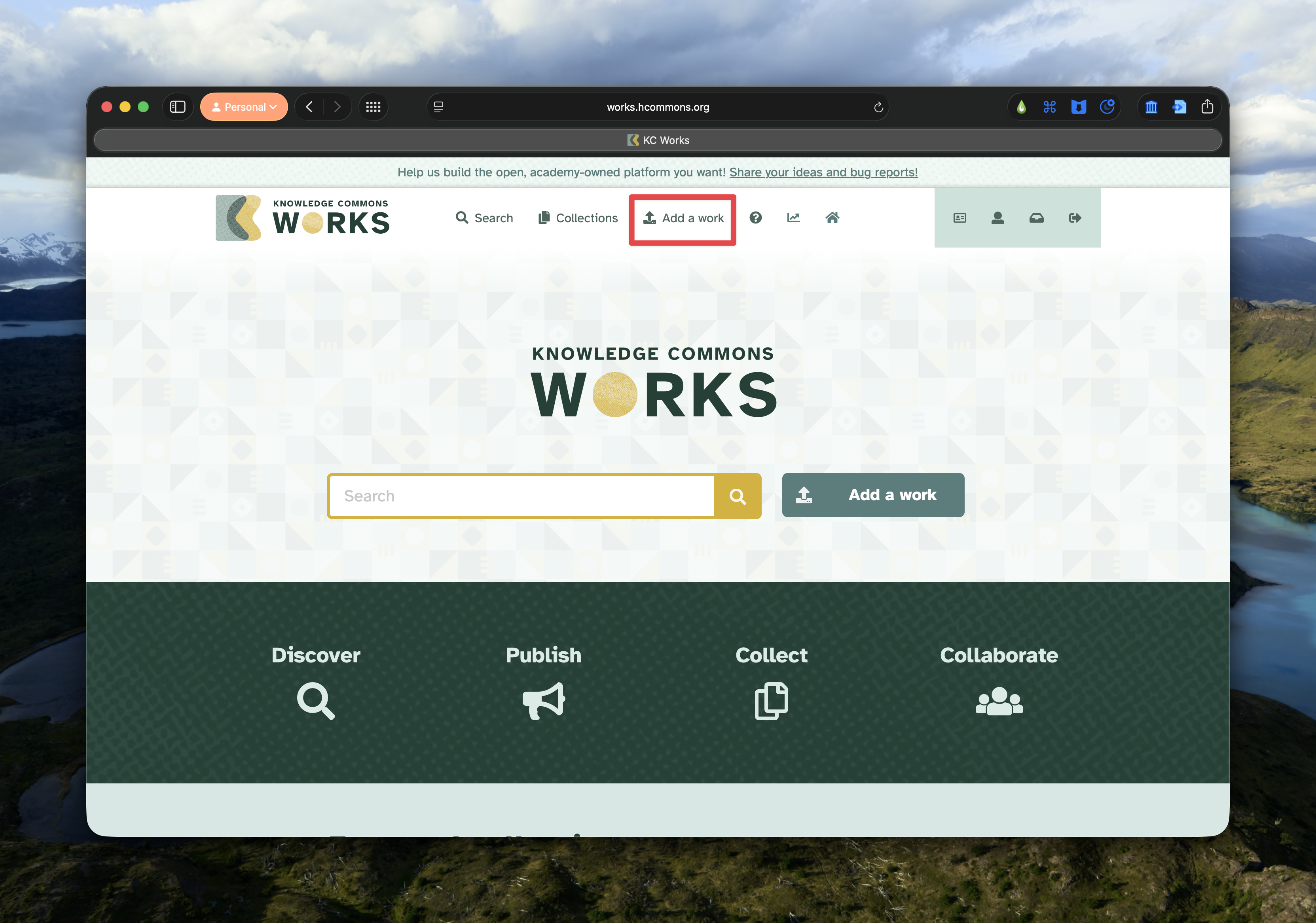
There are 7 steps in order to share your file. Not all of them need to be completed, but the more accurate information you provide the more useful it will be in the future.
IMPORTANT
Files can not be edited once they have been published.
Type and Title
Select the kind of resource you are uploading. We recommend selecting Other and choosing the following:
| File Contents | Humanities Commons Category |
|---|---|
| Lighting Plan | Image / Diagram |
| Production Photo | Image / Photograph |
| Technical Notes | Text Document / Technical Documentation |
This is only a guide to help keep everything consistently categorised. Choose the category that you think best describes the content you are uploading.
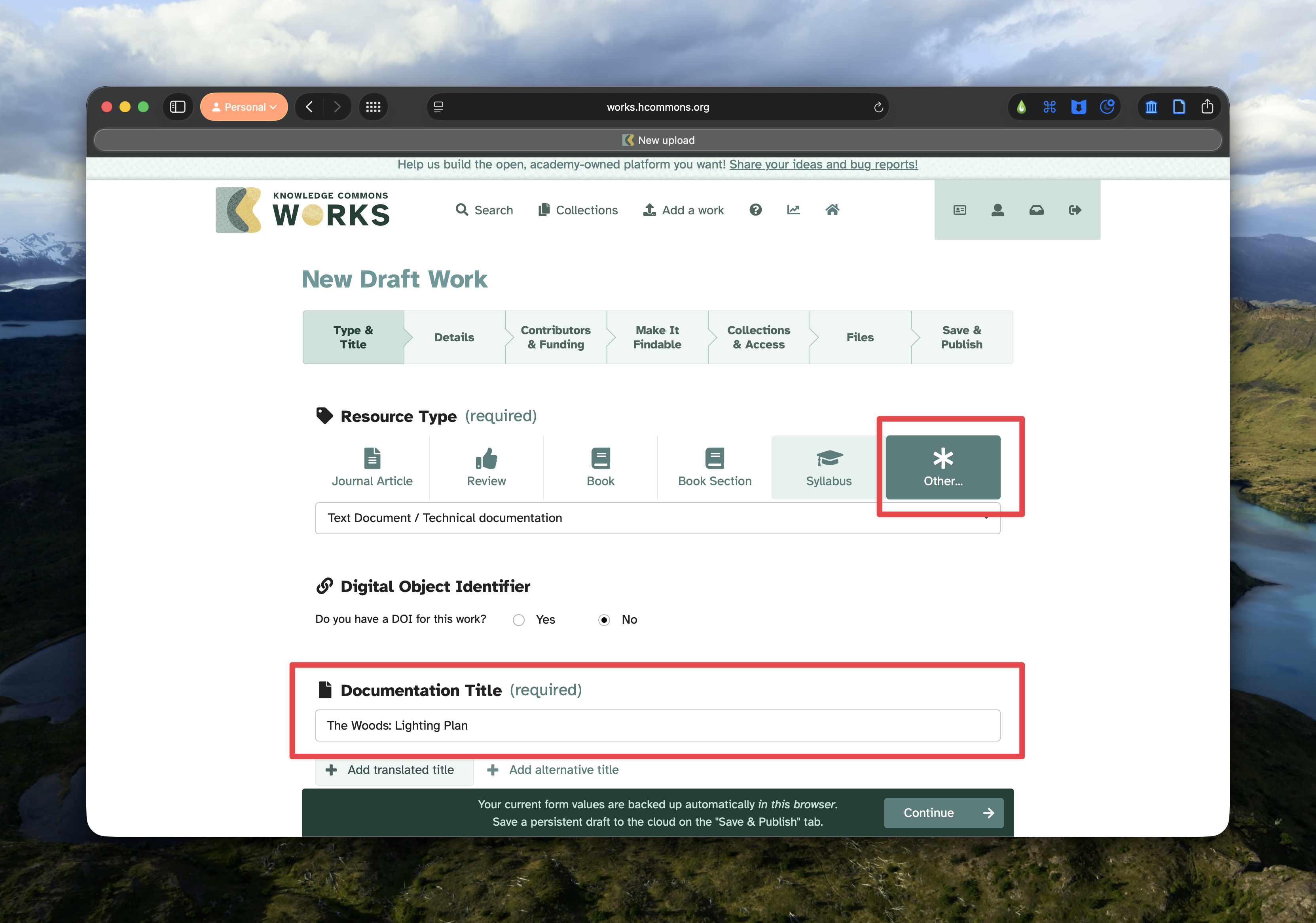
Then enter the title of your file. We reccomend Show Name: Document Type. So a lighting plan for The Woods, would read The Woods: Lighting Plan.
Details
The options on this page will change depending on the file type you selected on the previous page. This section is optional. Only include information you think is important and appropriate to your file. The project information isn’t the main location for providing information about the contributors on your project.
Contributors and Funding
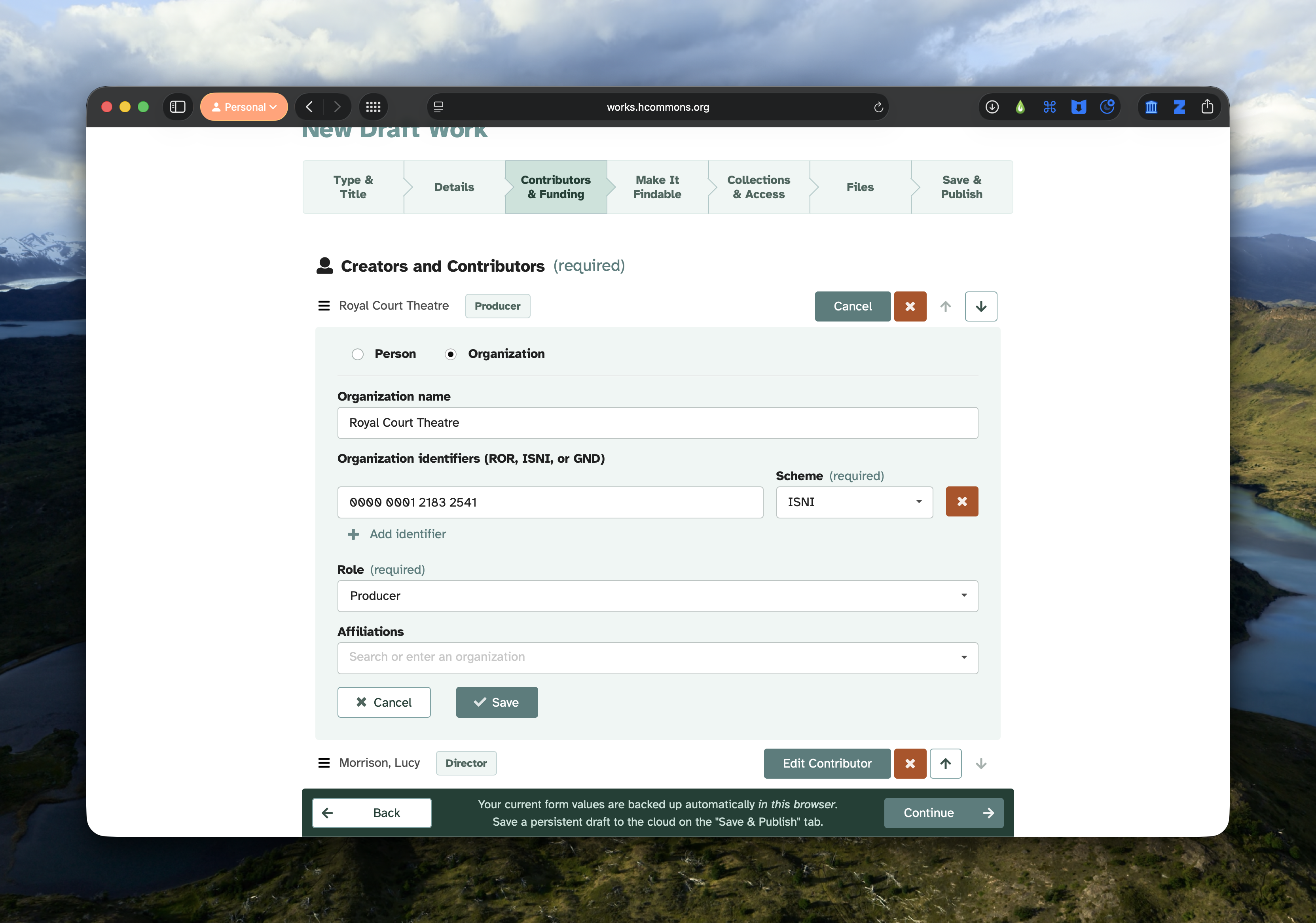
This is the key section to complete. The more accurate and consistent you are able to be in your completion of this section the better. Both individuals and organisations can be included. At a minimum the producer / venue should be included along with the director/choreographer. Any other creators or contributors to the file should also be included.
For both individuals and organisations unique identifiers can be included. You are encouraged to use these as they help keep data connected. The accepted identifiers are:
- ISNI or International Standard Name Identifier is an ISO standard (both). Search here.
- ROR or Research Organization Registry (organisations). Search here.
- ORCID or Open Researcher and Contributor ID (individuals). Search here.
- GND or Integrated German Authority File (both). Search here.
Make it Findable
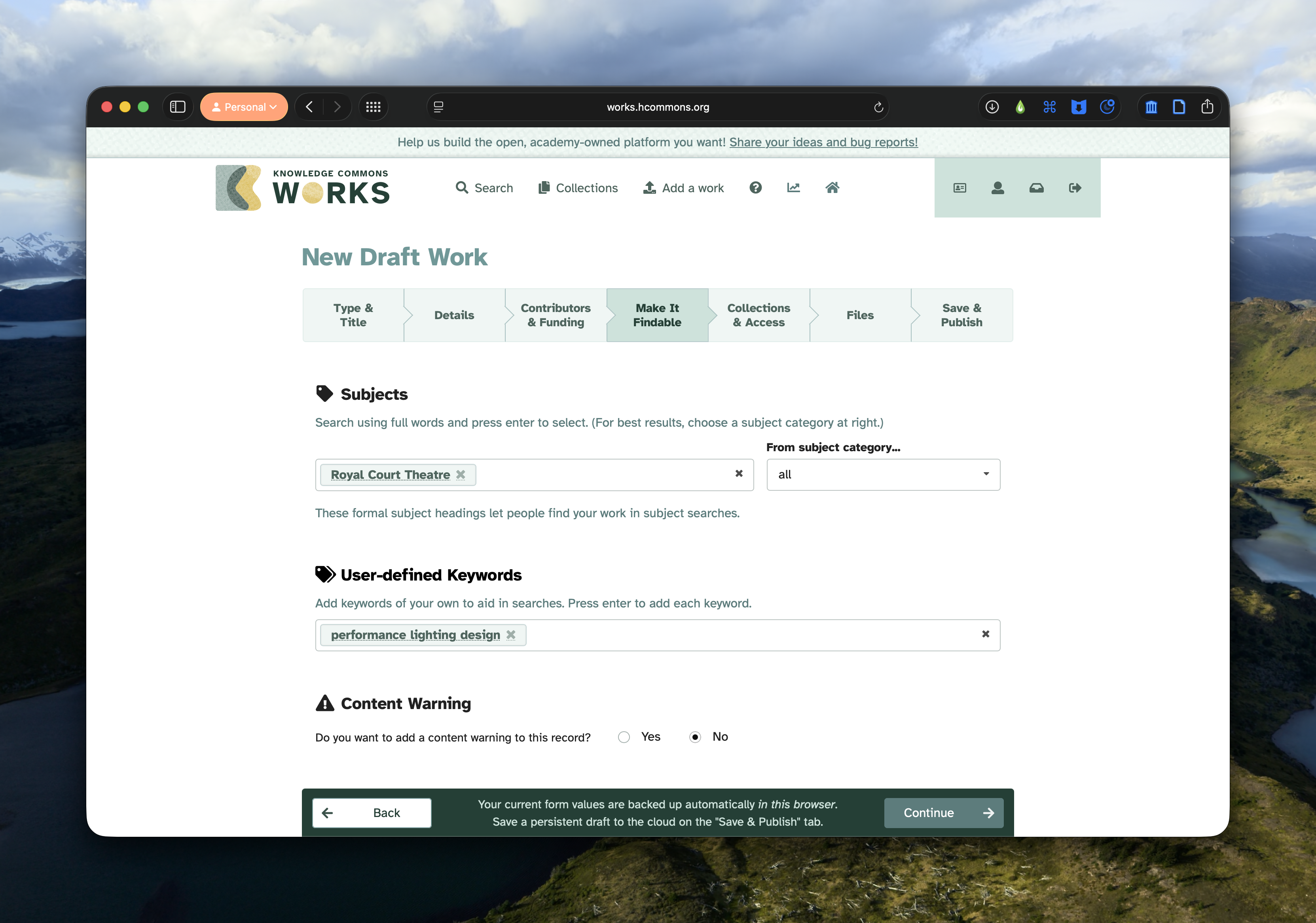
Insert as many key words as seem appropriate for your file. Generally, it is a good idea to keep them general, and remember that keywords are used by a variety of diciplines.
Please include as a minimum the following key words in the user-defined keywords:
- performance lighting design
- theatre
- performance
- stage lighting design
It is recomended to include the genre of work, play, dance, opera, ballet, contemporary dance etc.
Collections
This is where you connect your files to The Lighting Design Archive. Click the
Select a collection button and search for The Lighting Design Archive.
Click Select and your file will be be stored awaiting approval.
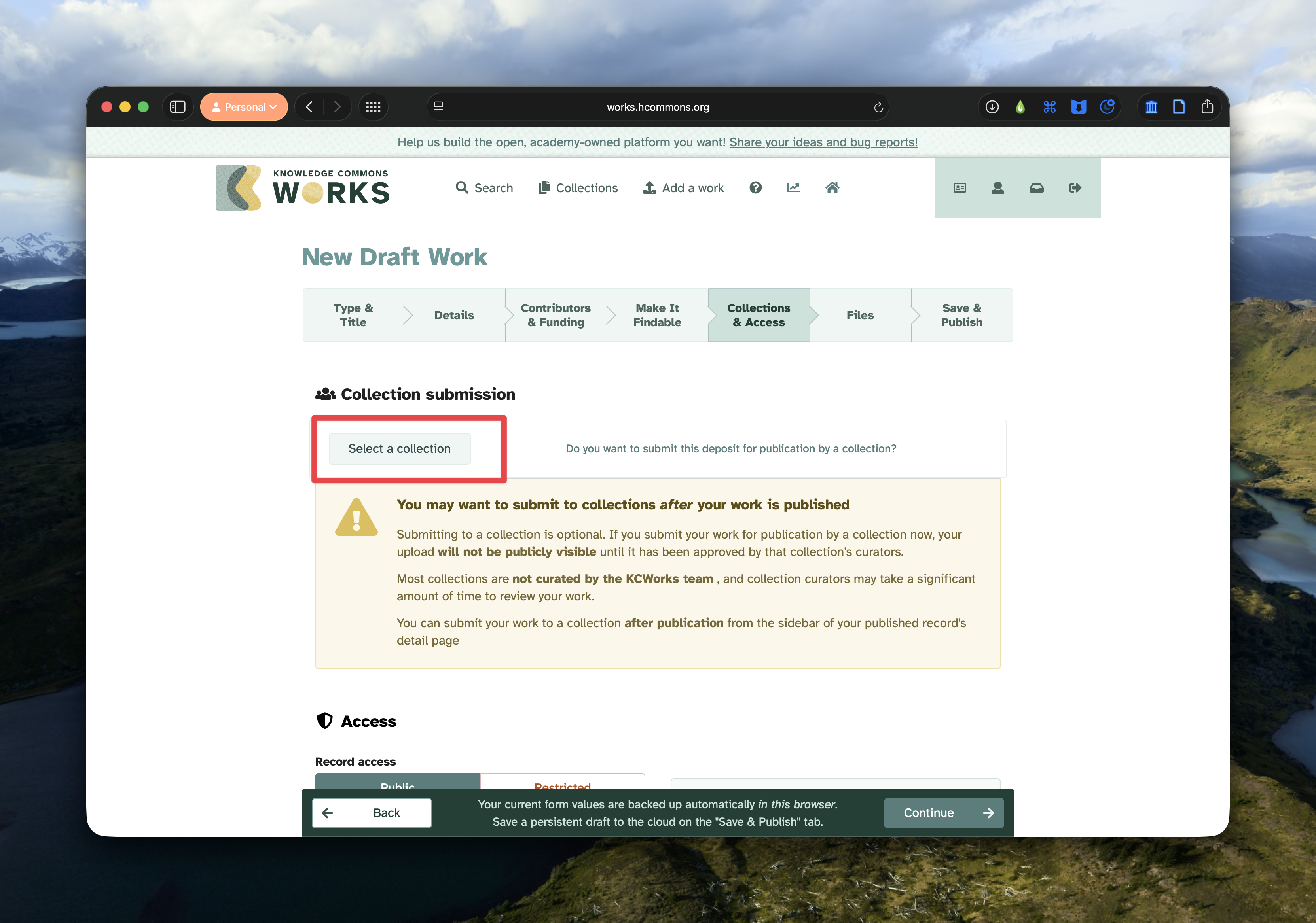
You can then decide to restrict access. If you restrict file access you can set an embargo to automatically provide access to the files in the future. A good use of this would be set a date 5 or 10 years in the future, when the files can be shared.
Files and Licence
Upload your files! Supported file types can be previewed on the work detail page. Unsupported file types can still be uploaded but will not be displayed. Common file types you could include that are supported include:
- jpg, jpeg, png, gif, tif, tiff, jp2
- pdf, pdfa Generally, non-propriatary file types are best to share as they are least likely to change in the future or be difficult to open.
Select your licence type. We recommend the Creative Commons Attribution Non Commercial 4.0 International which allows any use that is non-commercial in nature. This would mean, educational, research, or professional development is allowed but reusing your plan to make a show is not. We don’t restrict which licence you choose, that’s up to you. However, the more open the licence the more flexible the use in the future.
For help choosing the best licence condition use the Creative Commons licence picker.
4. Publish
Once you are happy (it’s possible to save a draft and come back later) you can hit publish!